Built for hotels, lodges & resorts

The whole stay on one calm screen.

Run arrivals, rooms, food & beverage and revenue from a single place. Built for hotels and lodges that want less clutter and more time with their guests.

Works on any device Installable as an app Role-based access
Check-in completeEmma Wilson · Room 204
78% occupancyToday across all rooms

Made for the way properties really run

Hotels Lodges Resorts Guest houses Homestays
Product tour

See the whole property at a glance

A look at the screens your team will use every day.

channel.nabinkumarchaudhary.com.n/admin/dashboard
Dashboardpublic/frontend/images/dashboard.png
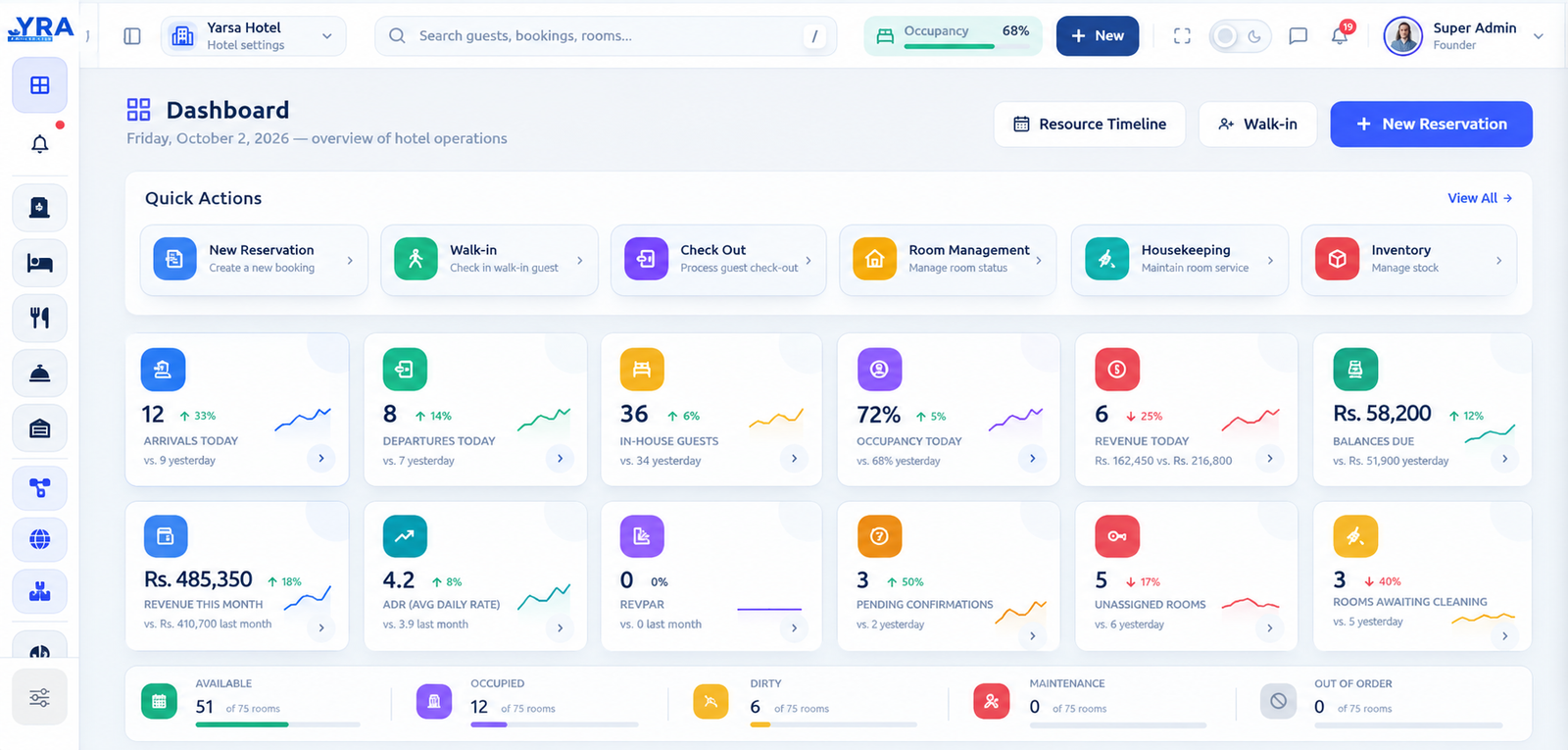
Dashboard screenshot

Arrivals, departures, occupancy and revenue, all in one overview.

channel.nabinkumarchaudhary.com.n/admin/resource-timeline
Timelinepublic/frontend/images/timeline.png
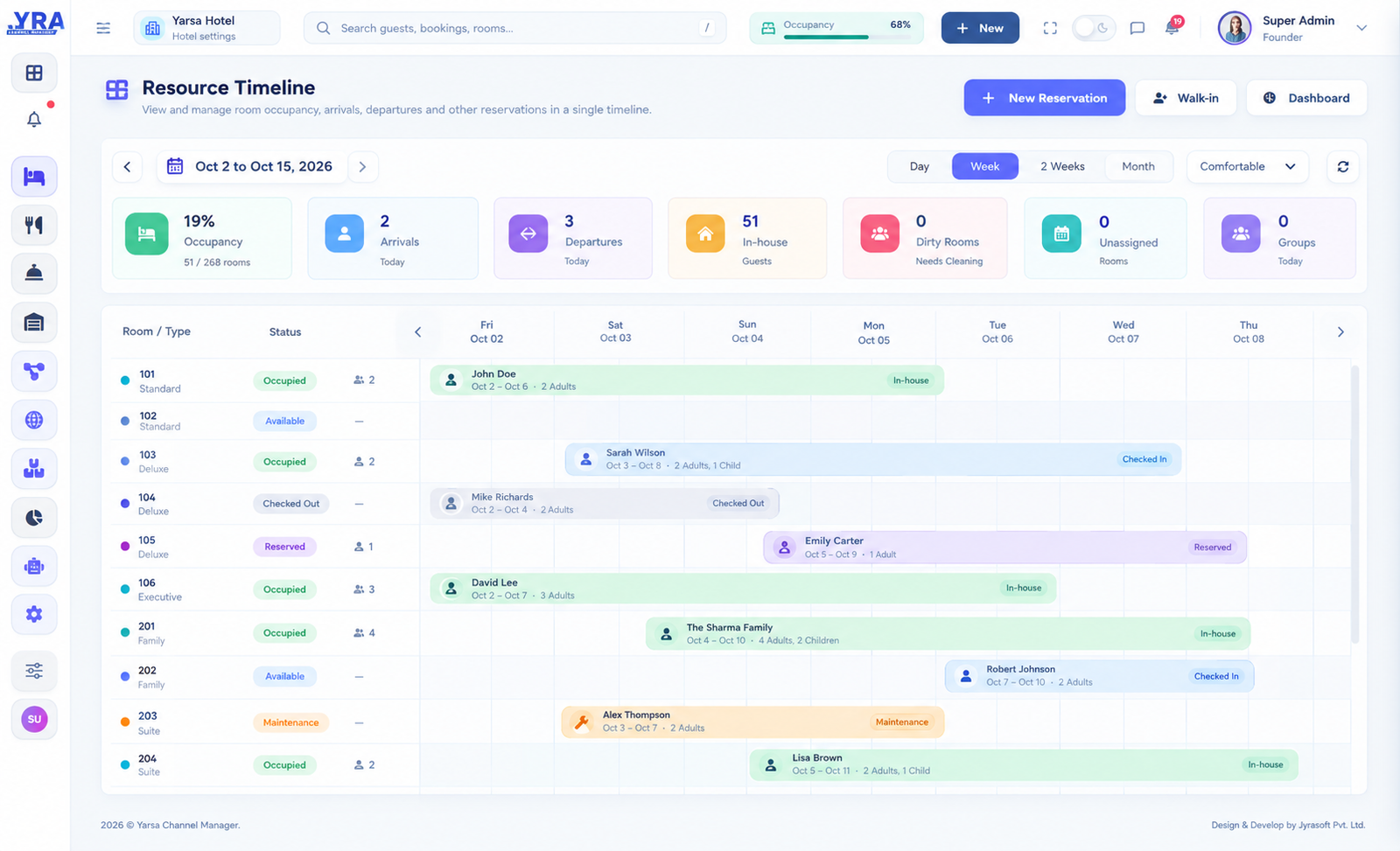
Timeline screenshot

Every room and every stay on a single visual calendar.

channel.nabinkumarchaudhary.com.n/admin/reservations/create
New Reservationpublic/frontend/images/booking.png
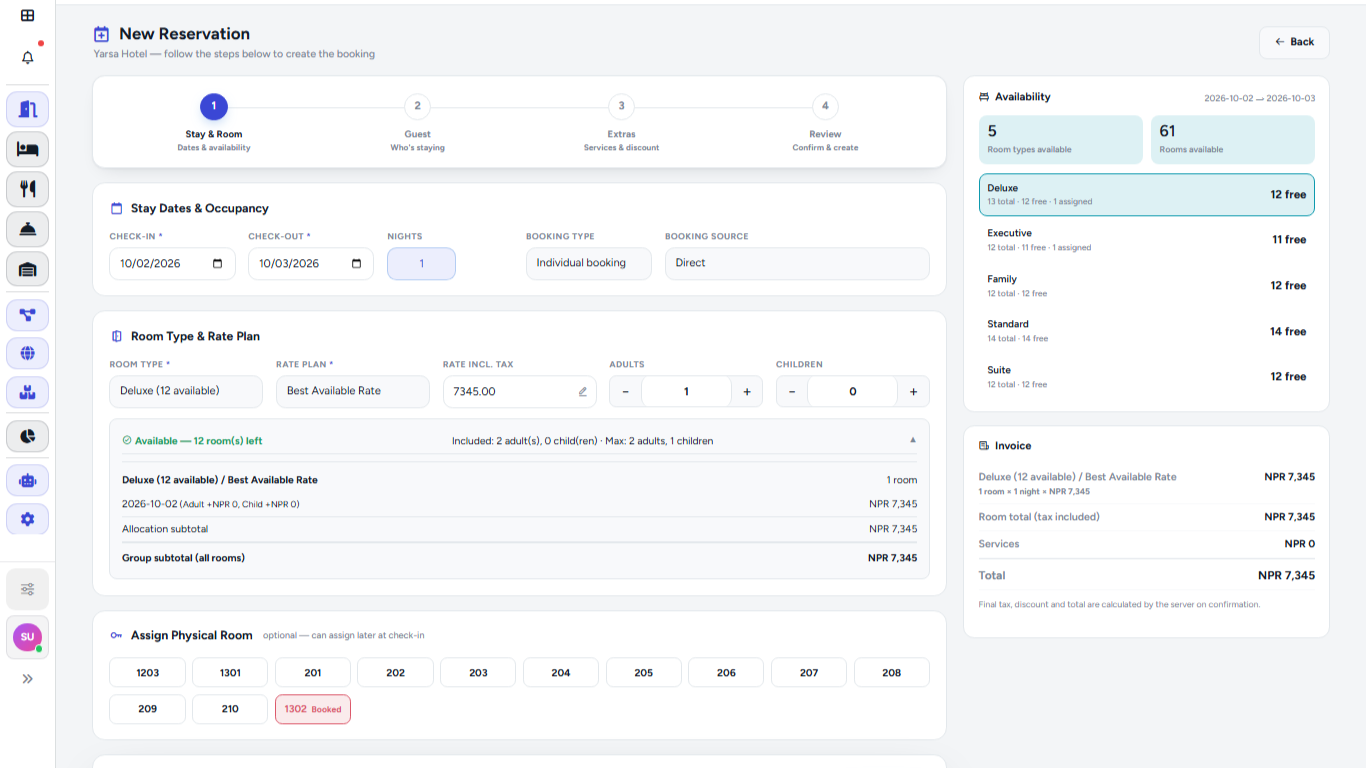
New Reservation screenshot

Create a reservation, check availability and assign a room.

channel.nabinkumarchaudhary.com.n/admin/front-desk
Frontdeskpublic/frontend/images/frontdesk.png
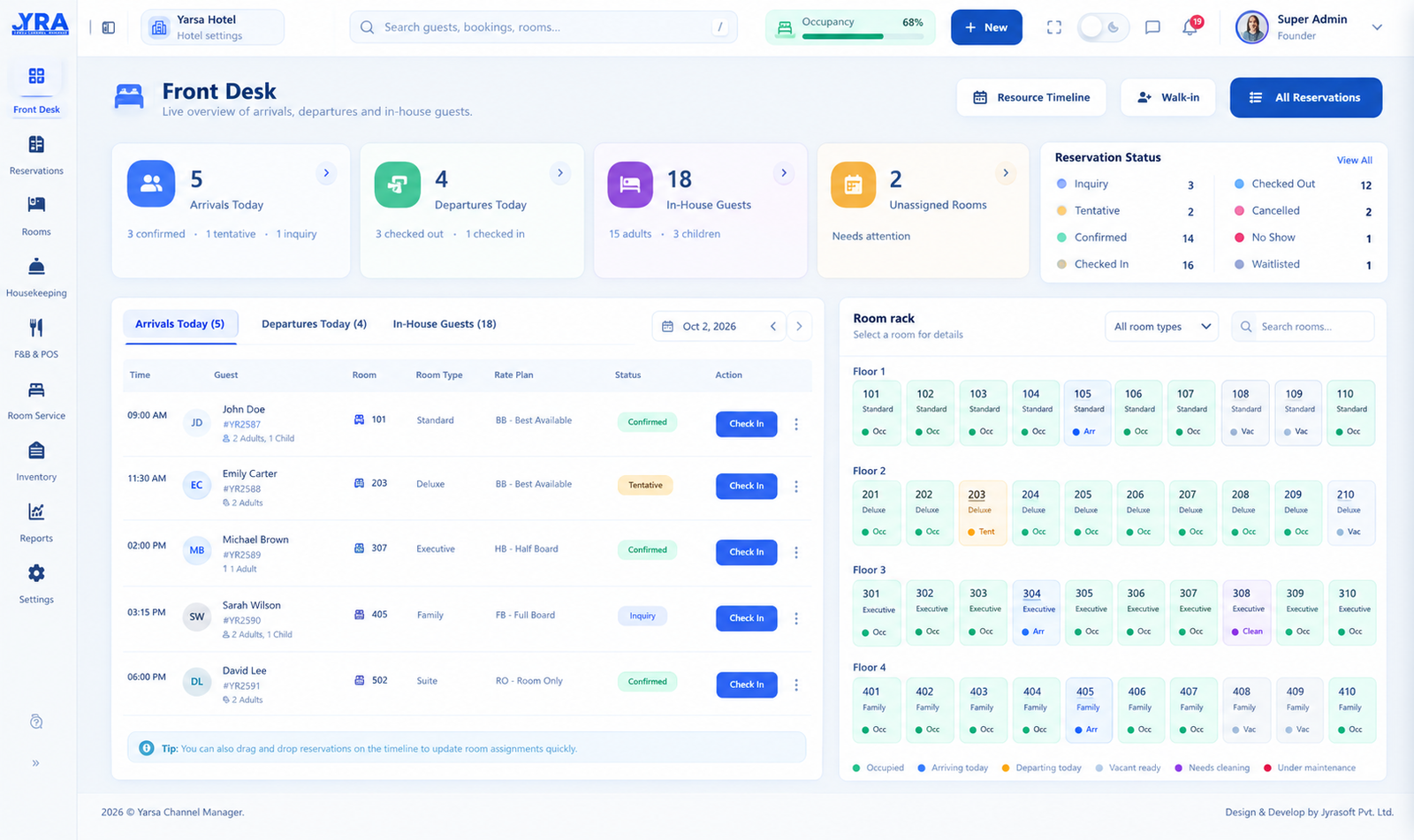
Frontdesk screenshot

Track arrivals, departures and in-house guests from the front desk.

Features

One system for the whole property

Stop jumping between spreadsheets, notebooks and separate tools. Everything your team needs is connected.

Reservations

Create bookings, take walk-ins, assign rooms and track every status from tentative to checked out.

Rooms & housekeeping

Live room status keeps front desk and housekeeping looking at the same picture, all day.

Resource timeline

A visual calendar of every room and stay. See gaps, overlaps and arrivals at a glance.

Food & beverage

Take restaurant and bar orders and post them straight to the guest folio. No re-typing.

Billing & payments

Folios, invoices and payments by method, with outstanding balances flagged before checkout.

Reports & insights

Occupancy, ADR, RevPAR and revenue by room type, source and outlet, whenever you need them.

Rooms & housekeeping

Clean rooms, ready on time

Know which rooms are dirty, clean, occupied or out of order without a single phone call to the floor.

  • Live room status for front desk and housekeeping
  • See rooms awaiting cleaning before guests arrive
  • Track maintenance and out-of-order rooms
Housekeepingpublic/frontend/images/housekeeping.png
Housekeeping screenshot
Billing & folios

Every charge, one clear folio

Room charges, restaurant orders and payments land on the same folio, so checkout is quick and accurate.

  • Post F&B orders straight to the guest bill
  • Payments tracked by method
  • Outstanding balances flagged before checkout
Billingpublic/frontend/images/billing.png
Billing screenshot
How it works

Up and running in three steps

No long setup projects. Add your property, your rooms and your team, then start taking bookings.

Set up your property

Add room types, rooms, rate plans and outlets so the system matches the way you work.

Invite your team

Give front desk, housekeeping and management the access they need with role-based permissions.

Run the day

Take bookings, check guests in and out, post charges and watch your numbers on the dashboard.

6+Core modules in one place
24/7Access from any device
LiveRoom and revenue status
RolesPermissions for every team member
FAQ

Questions, answered

Who is Yarsa Channel Manager built for?

Hotels, lodges, resorts, guest houses and homestays that want one system for reservations, rooms, billing and reporting.

Can I use it on my phone or tablet?

Yes. The interface is responsive and can be installed like an app, so the front desk and housekeeping can use it on any device.

Can different staff see different things?

Yes. Access is controlled with roles and permissions, so each person only sees and does what their job requires.

Does it handle food & beverage and billing?

Yes. Restaurant and bar orders can be posted to guest folios, and payments are tracked by method with balances due highlighted.

How do I get started?

Create an account or sign in, then add your property and rooms. You can start taking reservations straight away.

Ready to run your property calmly?

Sign in to your account or create a new one and see your whole stay on one screen.